InkThink ยท Handwritten Planner

Paper that thinks.

Write your day by hand. InkThink turns your ink into a planner that moves, reflows and remembers with intelligent ink.
Icon

Google Play

Icon

Microsoft Store

Icon

App Store

CONTROL-ALT-TEST

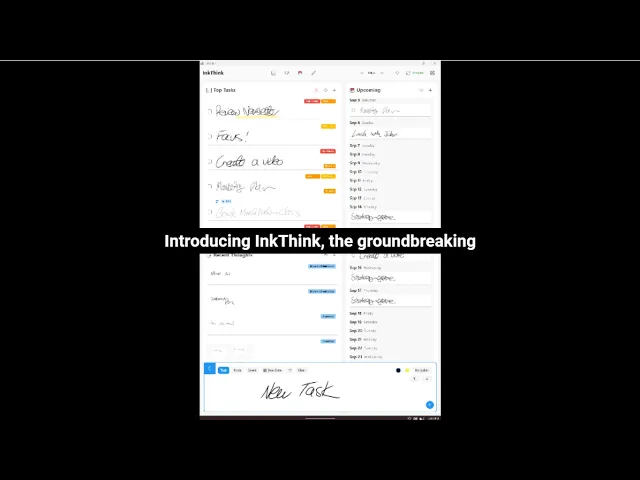
Watch the 2 minute tour

Ink that moves.

Write one entry into a day and it reflows into your week and month views. Handwritten calendar entries are date-aware, so the same ink shows up wherever that day lives. See how the handwritten events flow across different views.

Day view of InkThink showing handwritten tasks next to upcoming calendar events
Week view of InkThink showing handwritten entries alongside synced calendar events
Month view of InkThink with the same handwritten entries and calendar events

One app, four spaces.

Tasks, Notes, Calendar and Canvas live in the same ink. Pick a space to see what it does.

Tasks

  • Write a task in ink and it lands in the list
  • Reorder with a flick โ€” the ink moves, not the app
  • Kanban and Project views on Pro

Every pen, every screen.

iPad, Galaxy Tab, Surface and Boox. Sync between your devices and keep working fully offline.

Built for e-ink, too.

Pro, when you want it.

Everything in the base app works forever. Pro adds the deeper views โ€” and it is free during your 7-day trial.

Google and Microsoft 365 calendars, read-only

Kanban and Project quadrant views for tasks

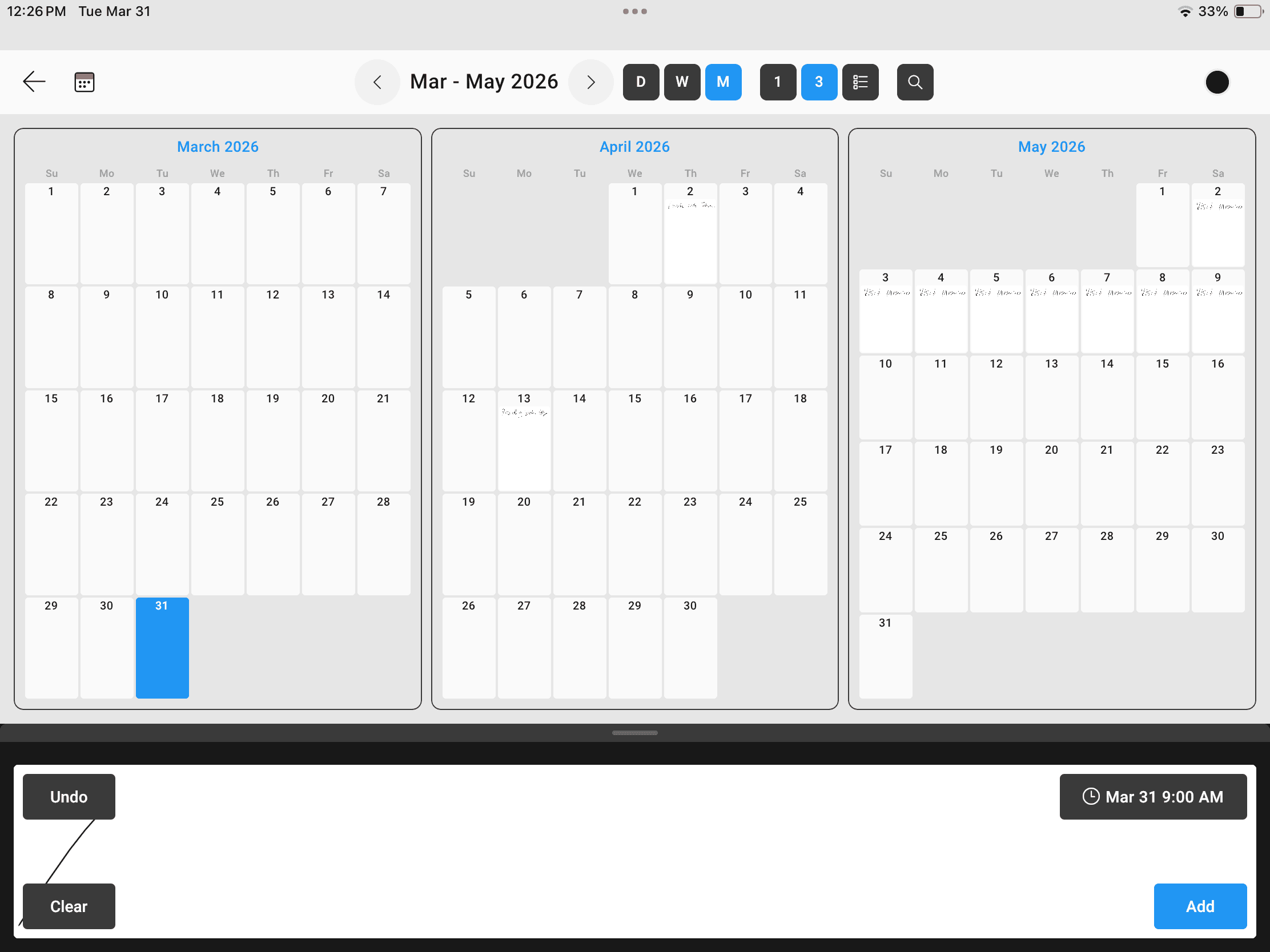
3-day, 3-week and 3-month calendar views

Yearly Planner mode with Monthly Goals

Split-screen mode

Habit tracking

Due dates, labels and task filters

Audio notes with transcription (uses a cloud service)

Your ink never touches your real calendar. Audio transcription is an optional Pro feature and uses a cloud service.

Your real calendar, in ink.

Pro reads your Google and Microsoft 365 calendar and brings your real events into InkThink. Read-only for now โ€” nothing you draw in ink ever touches your real calendar.

InkThink handwritten calendar displayed on a mobile device

Google Calendar (Pro)

Connect your Google account and your real events show up next to your ink. See the day you're actually having, then plan it by hand.

Microsoft 365 Calendar (Pro)

Connect Outlook or Microsoft 365 and your work calendar comes with it. Every meeting in view, none of it re-typed.

Microsoft 365 Calendar (Pro)

Connect Outlook or Microsoft 365 and your work calendar comes with it. Every meeting in view, none of it re-typed.

What people say.

Real reviews from people using InkThink in their own hands.

g00dies G.Google Play ยท Android ยท July 2026
โ€œPretty much exactly what I need from a digital planner. Fills the gap between pdf and application based time and task managementโ€
Read on Google Play โ†’
Kaliunis K.Google Play ยท Android ยท July 2026
โ€œThink > Ink > Grow with this crisp compact tool & complete InkThink's advantages by teaming up with NoteDex from the same App Stableโ€
Read on Google Play โ†’

Simple, transparent pricing

Try free for 7 days โ€” all features enabled. One-time purchase for the Base App, optional yearly Pro subscription. No surprises.

Launch offer โ€” buy the Base App during your free trial and get Pro free for a year. Prices shown in USD and vary by region.

Free 7 Day Trial

Try all features โ€” no commitment

Free

Get InkThink on Google Play
Get InkThink on Microsoft Store
Get InkThink on the App Store

What's included:

  • โ†’ Tasks

  • โ†’ Notes

  • โ†’ Calendar

  • โ†’ Canvas

  • โ†’ Sync & All Pro Features

  • โ†’ Works Offline

Base App

One-time purchase โ€” all devices

$24.99

What's included:

  • โ†’ Tasks

  • โ†’ Notes

  • โ†’ Calendar

  • โ†’ Canvas

  • โ†’ Sync Between All Devices

  • โ†’ Audio Recording

  • โ†’ Works Offline

Pro Subscription

Optional advanced features

$24.99 / yr

What's included:

  • โ†’ Task Due Dates & Filter by Label

  • โ†’ Kanban Multi-Column Task View

  • โ†’ Priority Matrix Project View

  • โ†’ Multi-Day, Week, Month

  • โ†’ Year View with Monthly Planner

  • โ†’ Mindfullness Mode

  • โ†’ Tasks w/ Due Dates on Calendar

  • โ†’ Audio recording transcription

  • โ†’ Google & Microsoft Cal Sync

  • โ†’ FREE during launch
    (with Base App purchase!)

Start writing smarter with InkThink

Join stylus-first thinkers who use InkThink to plan, capture and organise their day โ€” offline, and in their own handwriting.

Icon
Icon
Icon
Dashboard

Start writing smarter with InkThink

Join stylus-first thinkers who use InkThink to plan, capture and organise their day โ€” offline, and in their own handwriting.

Icon
Icon
Icon
Dashboard

Start writing smarter with InkThink

Join stylus-first thinkers who use InkThink to plan, capture and organise their day โ€” offline, and in their own handwriting.

Icon
Icon
Icon
Dashboard
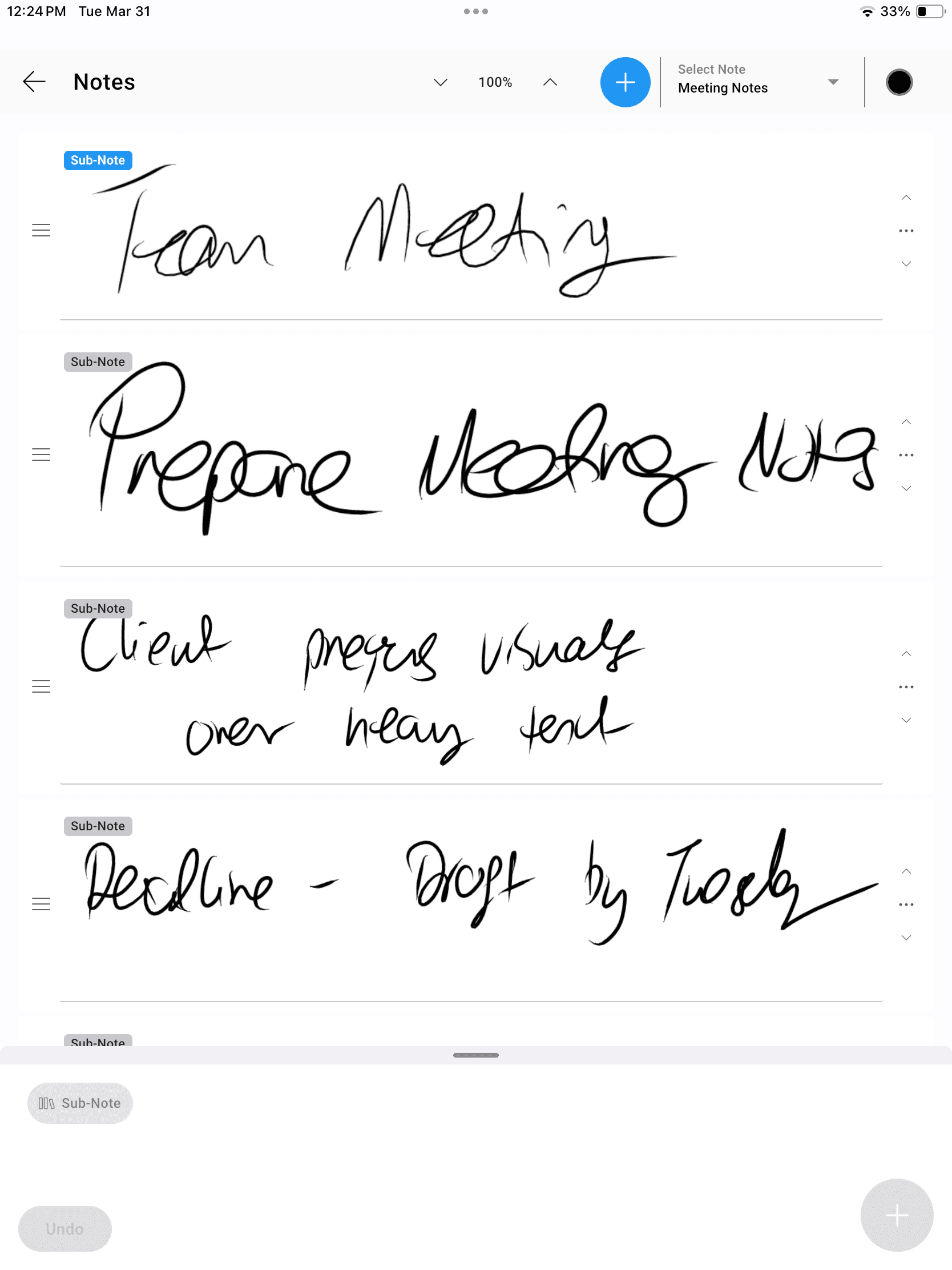
InkThink app screenshot.
Screenshot of the InkThink handwriting planner app.

Built for everyone who thinks with a stylus

Whether you plan your day, capture meeting notes, sketch out ideas or brainstorm on canvas โ€” InkThink fits how you think.

Stylus & digital pen users

Students & academic note-takers

Creative professionals & artists

Business planners & executives

Writers & journalists

Visual thinkers & mind-mappers

InkThink, Intelligent Ink and Atomic Ink are trademarks of Sundaram Applied Technologies Inc. Copyright 2025/6 support @ inkthink.app. Made with Love in Los Angeles.

InkThink, Intelligent Ink and Atomic Ink are trademarks of Sundaram Applied Technologies Inc. Copyright 2025/6 support @ inkthink.app. Made with Love in Los Angeles.

InkThink, Intelligent Ink and Atomic Ink are trademarks of Sundaram Applied Technologies Inc. Copyright 2025/6 support @ inkthink.app. Made with Love in Los Angeles.